Minimize Apps On Nokia S40

Its been a dream for every s40 users to minimize java applications in their handset,
especially for gprs users who need to be online in chat clients while surfing the net and so on..
But due to the inbuild abnormality in the architecture of the phone we are unable to do so..
I also searched the www for a working trick to minimize apps in s40 and after a long
research it ended up with a website which allows its registered users to create
project by uploading reqired applications
and combining them together to form a common application in which we can minimize and
switch between selected applications.
This facilitates the mob users to switch in b/w the applications pre-selected.
http://multime.org
How to work with multime:
1. Register at the site and login
2. Add your midlets by selecting the my midlets from the rear lefthand side of the
resultant window(you can either select apps from

your system or from an external source by clicking add by link option)


3. After uploading the required midlets, come back to the my projects and create a new project there.
4. Click on the Add midlets button and check the required apps there

5. Select build to compile them and get the output jar file ready to download


6. After downloading the application, as you launch it, there will be many midlets you added in ur project, and you could use application individually, and all running simultaneously.
7. By default you could minimize application by long pressing * which could be changed
8. To change the key, minimize all apps then press options, here again select options and in default you will find key 42.
Press assign and press your desired key for minimizing. Below it, select the key press time in milliseconds.
9. Press options and ok.

10. NjoY !!


example made containin om4.2+ucweb7+opera5beta2.   http://dl-1.multime.org/fot/duj/tru/multime-873576886.jar


copyright 2010 www.trickznhack.co.cc

(¯`° MULTITASKING FOR s40 using PTT ° ´¯)

One of my friends, who uses series 40 phone, told me that he uses PTT button in his phone to make calls while doing web surfing or playing a game.
So by playing around PTT settings I got a way to make most out of the the button.
By using this method you can make call, send sms,play songs,play videos,browse images,take new image or video clip,browse web through phone's in built browser and many more.
But this can be achieved only in PTT(Push To Talk) featured phones.
Below method is tested on Nokia 3110 classic and working flawlessly on it.
This is not actual multitasking. Coz it doesn't involve two tasks. But I was not able to find any better name other than multitasking.

lets start multitasking...


First of all, let's configure PTT settings.

goto PTT(Push To Talk) >> PTT settings >> PTT default function >> Open contact list.

NEXT :


Now start any one of your favourite applications (example opera mini).
Now push your PTT button located on side of your phone. (many phone have volume up key as their PTT function key.Press and hold volume up key).
Now you got your PTT contacts screen.
Click on add new >> from contacts >> select your contact >> and save it.
OR
(Goto options >> add contact >> from contacts >> select a contact that you wish to call >> save it)
Now that contact will appear on the PTT contact screen >> simply press call key (green button) to call that contact.

Now let's do sumthing more.

Pay attention to "message sending" and "web browsing" methods.

1] to listen songs :
goto options >> add contact >> enter manually >>options >> add detail >> tone >> open gallery >> now browse your songs >> select it >>play it.

2] to watch video :
goto options >> add contact >> enter manually >>options >> add detail >> video >> open gallery >> now browse your videos >> watch it.

3] to take a new video :
goto options >> add contact >> enter manually >>options >> add detail >> video >> new video clip.

4] to see images :
goto options >> add contact >> enter manually >>options >> add detail >> image >> open gallery >> now browse your videos >> see it.

5] to take new image :
goto options >> add contact >> enter manually >>options >> add detail >> image >> new image.

6] to send a message :
goto options >> add contact >> enter manually >>options >> add detail >> tone >>tone downloads >> nokia.com >> options >> send >> text message >> replace the bookmark with your message and send it.
You can send multimedia too.

7] to browse the web :


goto options >> add contact >> enter manually >>options >> add detail >> tone >> tone downloads >> options >> new bookmark >> enter your address (example: google.com) >> enter title (example: google) >> select the bookmark >> start surfing.


Besides these things you can check your battery level, signal strength and time toooooo.


copyright 2010 www.trickznhack.co.cc

how to unlock your Black Berry BB 7100 and 7130 with easy steps

Here are the easy steps in unlocking your BlackBerry mobile phones

Model : All Blackberry Models (except T-mobile – which is listed below)

1. Using the menu go to Options -> Advance options -> Sim card
2. While holding the SHIFT key, type MEPD or (MEPPD for Vodafone Handsets)
3. You should now see the five locking categories listed.
4. While holding the SHIFT KEY, type MEP2 or (MEPP2 for Vodafone handsets)
5. Release the shift key.
6. You are now prompted to enter the Network MEP code (it will also state how many attempts left)
7. Enter the code
8. Enter Return/Enter
9. The device should then be unlocked


Model : T-mobile Blackberry Models

1. On the Home screen, click the Tools icon. The Options screen appears.
2. In the tools screen, select the Settings icon.
3. Scroll to SIM Card and select it. You should see the phone number and the SIM ID number.
4. Type 'mepd' to display the first five levels of SIM locking.

T-Mobile uses network locking so the Network should display Active. All other states should display Disabled

Please note: For the Blackberry 7100t you will hit the "P" twice when entering the 'mepd' and 'mep2' for steps 4 & 5.
5. Type 'mep2' to display the dialog box asking for the unlock code (Press the Alt + 2 key to get the number 2)
6. Input the Network Unlock code
7. Press ENTER and reboot handheld.

5xxx, 6xxx, 7xxx Series (except for BB 7100 and 7130)

1. Turn wireless mode off
2. Go to "Options" menu
3. Go to "SIM card"then press the jogdial to select it
4. Type MEPD (not case sensitive). You will not see text appear on screen while typing
5. It will say "Network active"
6. Press and hold the ALT key (half moon looking key on the lower left side)
7. While holding the ALT key type in MEPE (not case sensitive). You will not see text appear on screen while typing
8. When prompted enter supplied unlock code
9. After entering the code press the jog dial
10. Your phone is unlocked


Blackberry 7100, 7130

1. Turn wireless mode off
2. While on the home screen click the "Tools" icon
3. Go to "Options" menu
4. Select "Settings"
5. Go to "SIM card" then press the jogdial to select it. You should see the phone number and the SIM ID number
6. Type MEPP2 (not case sensitive). You will not see text appear on screen while typing.

Press ALT and 2 simultaneously to get number 2.

1. Enter supplied unlock code
2. After entering the code press the jog dial
3. Your phone is unlocked


Blackberry 8100 Pearl
Unlocking can be done without SIM card inserted

1. Turn wireless mode off
2. While on the home screen click the "Settings" icon
3. Go to "Options" menu
4. Select "Advanced options"
5. Go to "SIM card" then press the jogdial to select it
6. Type MEPP2. You will not see text appear on screen while typing

Press ALT and 2 simultaneously to get number 2.

1. Enter supplied unlock code
2. After entering the code press the trackball once
3. Your phone is unlocked

If the unlocking code is entered incorrectly the next attempt to unlock the device will be delayed for 10 seconds increments. The number of unlocking attempts is limited. When this number is reached the phone will be permanently blocked.

alternative instructions

1. Insert SIM card into the device
2. Power on the phone and turn Wireless Off
3. Go to "Settings" then "Options" menu and select "Advanced options"
4. Go to "SIM card" then press the jogdial to select it
5. Type MEPPD. Please note that you will not see what you type on the screen.
6. Type MEPP2. You will not see text appear on screen while typing

Press ALT and 2 simultaneously to get number 2.

1. Enter supplied unlock code
2. After entering the code press the trackball once
3. Your phone is unlocked


alternative instructions for some Vodafone Blackberry 8100

1. Insert non original SIM card into the device
2. Power on the phone and turn Wireless Off
3. Go to "Settings" then "Advanced options"
4. Go to "SIM card" then press the jogdial to select it
5. Type MEPP2 while holding Alt, multitap enabled (hold [Alt], type [M] [ER] [OP] [OP] [TY]. Please note that you will not see what you type on the screen.
6. When prompted with "Enter Network MEP code (255 left)" on the screen, enter the 16-digit network unlock code provided for your phone, then press Enter
7. Pull the battery out of the phone
8. Switch the phone on and the phone will be automatically unlocked

If the unlocking code is entered incorrectly the next attempt to unlock the device will be delayed for 10 seconds increments. The number of unlocking attempts is limited. When this number is reached the phone will be permanently blocked.
To unblock such phone, it must be taken to a RIM service centre. No outgoing calls including emergency call is possible when the phone is blocked.

Blackberry Curve, 8800, 8300
Unlocking can be done without SIM card inserted

1. Turn wireless mode off
2. While on the home screen click the "Settings" icon
3. Go to "Options" menu and select "Advanced options"
4. Select "SIM card"
5. Hold the ALT key while typing MEPE. You will not see text appear on screen while typing
6. You should be presented with a prompt "Enter Network MEP Code"
7. Enter supplied unlock code
8. After entering the code press the trackball once
9. Your phone is unlocked

If the unlocking code is entered incorrectly the next attempt to unlock the device will be delayed for 10 seconds increments. The number of unlocking attempts is limited. When this number is reached the phone will be permanently blocked.
To unblock such phone, it must be taken to a RIM service centre. No outgoing calls including emergency call is possible when the phone is blocked.

alternative instructions

1. Turn wireless mode off
2. While on the home screen click the "Settings" icon
3. Go to "Options" menu and select "Advanced options"
4. Select "SIM card"
5. While holding the ALT key type MEPD. You will not see text appear on screen while typing
6. While holding the ALT key type MEPE. You will not see text appear on screen while typing
7. You should be presented with a prompt "Enter Network MEP Code"
8. Enter supplied unlock code
9. After entering the code press the trackball once
10. Your phone is unlocked


Blackberry 8700, 8700c, 8707
Unlocking of these models requires a SIM card inserted (active or inactive)

1. Turn wireless mode off
2. While on the home screen click the "Settings" icon
3. Go to "Options" menu and select "Advanced options"
4. Select "SIM card"
5. Hold the ALT key while typing MEPE. You will not see text appear on screen while typing
6. You should be presented with a prompt "Enter Network MEP Code"
7. Enter supplied unlock code
8. After entering the code press the trackball once
9. Your phone is unlocked


Blackberry 8230 Curve

1. Press the "menu" key
2. Scroll and select "Manage connections"
3. Select "Turn all connections off"
4. Press "Escape" to go back to the "Home" screen
5. Go to "Options" menu and select "Advanced options"
6. Select "SIM card"
7. Hold the ALT key while typing MEPD. You will not see text appear on screen while typing. This opens up a personalization menu
8. Hold the ALT key while typing MEP2. You will not see text appear on screen while typing

Press ALT and 2 simultaneously to get number 2.

1. You should be presented with a prompt "Enter Network MEP Code"
2. Enter supplied unlock code
3. After entering the code press the trackball once
4. Restart your phone and restore connections by following the first two steps
5. Your phone is unlocked


Blackberry 9000, 9500, 9530 Storm

1. Insert any sim card
2. Scroll and select "Manage connections"
3. Select "Turn all connections off"
4. Press "Escape" to go back to the "Home" screen
5. Go to "Options" menu and select "Advanced options"
6. Select "SIM card"
7. Select "Show keyboard"
8. Hold the ALT key while typing MEPD. You will not see text appear on screen while typing. This opens up a personalization menu
9. Hold the ALT key while typing MEP2. You will not see text appear on screen while typing

Press ALT and 2 simultaneously to get number 2.

1. You should be presented with a prompt "Enter Network MEP Code"
2. Enter supplied unlock code
3. After entering the code press the trackball once
4. Restart your phone and restore connections by following the first two steps

5. Your phone is unlocked


UNLOCK YOUR BLACKBERRY MOBILES   

www.trickznhack.co.cc

Remove Thumb.db file in windows

Thumb.db is is a cache of the current picture in that directory.to remove it go for following

step1 > open "WINDOWS EXPLORER".

2>go to "TOOLS".

3>open "FOLDER OPTIONS".

4>go to "VIEW".

5>see 1st section "FILES & FOLDERS".

6>click on the "DO NOT CACHE THUMBNAILS".

now the thumbnail file will be removed from ur computer once u do this the file will be never created.

Make A Free Call From Yahoo or skype

"This is the cool trick by using it you can call all over the world without any cost!!! You got it right bro its free like nothing!!!!
So i think you would wish to make free calls to anyone around the world(it could be any special one your gf/bf)!!!!!!!!
So by now i think you would definately want to make free calls.!!!!!

Besides being free calls these calls cant be traced,so you can do some naughty acts, but do not misuse this trick!!!!!!!


So the trick goes like this=======>>>


* First you should be having yahoo messenger or skype installed in your computer


* Sign in yahoo messenger or skype

* There you will see a box right on the top of yahoo messenger containing some text just like below highlighted in red circle.[in yahoo messenger]

* There you will have to type a number which is of U.S.A which is free of cost.
The number goes like this.......... +18003733411

*in skype enter the number as destination number +18003733411


* When you will call this number after some time a operator will reply and will say "main menu" and then you will have to reply from your mic. "free call"..

* Then the operator will reply something and after sometime a beep would be heard and a dial pad will come up where you will have to dial your destination number and after some time your call will be connected!!!!

* This maximum call limit will be 5 min.
After this if you wish to call again you will have to continue the same procedure!!!!

* you can make unlimited calls from your P.C everyday anywhere around the globe....."


I think it would be worth to try it.


***** www.trickznhack.co.cc *****

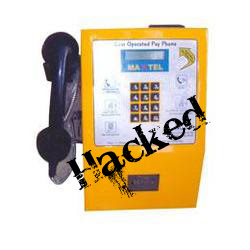
[trick]Coin BOX calling Hack(Free Call)


Steps:
1.Insert Coin
2.Dial 0##Phone No. *(star)
3.Call Unlimited
4.And Disconnect
5.Coin Comes Out
6.Go Home Smiling(hehehe)


Credit- Some orkut community


Thankx


***** www.trickznhack.co.cc *****

Unlimited Megaupload Download for free

This will only last for a while until Megaupload changes their site so take advantage.

If the download link is say:

http://www.megaupload.com/?d=TADMUWNB

Just add mgr_dl.php after the .com/ so the new link becomes:


http://www.megaupload.com/mgr_dl.php?d=TADMUWNB


No captcha, No countdown, Full speed


******* www.trickznhack.co.cc *******


Request a Brochure or DVD From National Geography For Free


Lindblab Expeditions and National geographic society have joined forces to inspire the world through expedition travel.They provide extraordinary travel experiences and disseminate geographic knowledge around the globe.You can request a free DVD which include breathtaking video filmed live from ships and will amazed your eyes.You can request both too i received my DVD & Brouchers. Request Your Broucher Or DVD click here


www.trickznhack.co.cc

Zapak:Win Assured Prize Of Rs.150


Recently I have Blogged About Contests On Zapak.com.Now They Have Come Up with contest in which you can win Rs.150 (assured) every 24 hours by simply playing game you don't need to crack high score just need to play four games & will win prize of 150 Assured.all players who successfully play all 4 games enter the Zapak Hall of Fame. All successful players are automatically Nominated for the Zapak Loyalty Program! Click Here To Know More About Contest


Request Crazy Cart Game Cd
Zapak Also Giving crazy cart Game Cd for free fill out the form and They will send you a CrazyKart game CD absolutely FREE!
Click Here To Request CD

@www.trickznhack.co.cc

Free Ubuntu CD of the 9.04 (Jaunty Jackalope) release.


New Version of Ubuntu OS is available Now . So go and Request ur free Cd.


What is Ubuntu?


Ubuntu is a community developed operating system that is perfect for laptops, desktops and servers. Whether you use it at home, at school or at work Ubuntu contains all the applications you'll ever need, from word processing and email applications, to web server software and programming tools.

Ubuntu is and always will be free of charge. You do not pay any licensing fees. You can download, use and share Ubuntu with your friends, family, school or business for absolutely nothing.


To Request Ur free Version 9 Cd , go here

For High Level Professional you can Request Kubuntu CD here


@www.trickznhack.co.cc