Thumb.db is is a cache of the current picture in that directory.to remove it go for following
step1 > open "WINDOWS EXPLORER".
2>go to "TOOLS".
3>open "FOLDER OPTIONS".
4>go to "VIEW".
5>see 1st section "FILES & FOLDERS".
6>click on the "DO NOT CACHE THUMBNAILS".
now the thumbnail file will be removed from ur computer once u do this the file will be never created.
Showing posts with label PC COMPUTER. Show all posts
Showing posts with label PC COMPUTER. Show all posts
Make A Free Call From Yahoo or skype
"This is the cool trick by using it you can call all over the world without any cost!!! You got it right bro its free like nothing!!!!
So i think you would wish to make free calls to anyone around the world(it could be any special one your gf/bf)!!!!!!!!
So by now i think you would definately want to make free calls.!!!!!
So i think you would wish to make free calls to anyone around the world(it could be any special one your gf/bf)!!!!!!!!
So by now i think you would definately want to make free calls.!!!!!
Besides being free calls these calls cant be traced,so you can do some naughty acts, but do not misuse this trick!!!!!!!
So the trick goes like this=======>>>
* First you should be having yahoo messenger or skype installed in your computer
* Sign in yahoo messenger or skype
* There you will see a box right on the top of yahoo messenger containing some text just like below highlighted in red circle.[in yahoo messenger]
* There you will have to type a number which is of U.S.A which is free of cost.
The number goes like this.......... +18003733411
*in skype enter the number as destination number +18003733411
* When you will call this number after some time a operator will reply and will say "main menu" and then you will have to reply from your mic. "free call"..
* Then the operator will reply something and after sometime a beep would be heard and a dial pad will come up where you will have to dial your destination number and after some time your call will be connected!!!!
* This maximum call limit will be 5 min.
After this if you wish to call again you will have to continue the same procedure!!!!
* you can make unlimited calls from your P.C everyday anywhere around the globe....."
I think it would be worth to try it.
***** www.trickznhack.co.cc *****

How To Know Who Blocked You on Google Talk

If you are curious to know that someone has blocked you on Gtalk then you can easily find the person who avoiding you and blocked you. Sometimes you noticed that your friends is not contacting you , even when you send messages to them they never reply back. It means either he/she avoiding you or blocked you in gtalk.Would you like to find out who are those people who have blocked you on GTalk?
Here’s an easy way to do that.This can be done using the chat client Pidgin. Pidgin allows you to chat across multiple networks simultaneously. It means that you can chat with your MSN, GTalk, Yahoo and other online buddies all at the same time from one single IM client.
Just follow the simple steps :
Step 1 :Download & Install Pidgin
Step 2 : Configure Pidgin for Google Talk using the following steps :
a) Add Gtalk account to Pidgin, Go to Accounts > Manage > Add, this will bring a new window Add Accounts ;
b)
Enter you gmail account details as shown in the following image, Keep Protocol as XMPP , Domain as gmail.com and Resource as HOME,
c) Now click on Advance Tab in the same window; and make the settings as shown in the following figure.
d) That’s it. You are done with Pidgin settings. Now lets find out who has blocked you on Gtalk.
Step 3 : Sign in to Pidgin with your Google Talk account, Go to Buddies > Show Offline Buddies.
Step 4 : If someone has blocked you on Gtalk , then they appear offline just like other offline contacts who are really offline.
Step 5 : Select the contact from the list and then Right click, click on Get Info.
Step 6: Once you click on Get Info then it will show the some info about the profile of the person. But if the person has blocked you on Google Talk, you won’t be able to see his/her full profile. You can’t even see his/her profile name.


So if you get the profile info like the left side image means this person has not blocked you. But if you get the blank screen like the right side image, it means this contact has blocked you and doesn’t wish to talk to you.
Download Pidgin|Gtalk
Set Alerts for New Incoming Emails from Your Multiple Email Accounts In Firefox
If you want to manage multiple Email accounts directly in Firefox then the Firefox extension named WebMail Notifier will provide you a solution.WebMail Notifier for Firefox is a basic add-on that checks e-mail for a variety of different types of e-mail accounts.It checks your webmail accounts and notifies the number of unread emails.

- Webmail Notifier currently supports the following services :
- Gmail (Gmail & Google Apps)
- Yahoo (yahoo.com, ymail.com, yahoo.co.jp)
- Hotmail (hotmail.com, msn.com, live.com)
- AOL (aol.com, aim.com, mail.com)
- Daum (daum.net, hanmail.net)
- Naver
- Nate (nate.com, empas.com)
- Paran (paran.com, hanmir.com)
- POP3/IMAP
You can use multiple accounts in a same host. If you want other webmail provider, you can make your own script.
Install Windows Media Player 11 Without Genuine Validation
 Windows Media Player 11.0 is the Best Media Player by Microsoft.With WMP 11 you can store and enjoy all your music, video, pictures, and recorded TV. Play it, view it, and sync it to a portable device for enjoying on the go or even share with devices around your home all from one place.Windows Media Player 11 is available for free download officially at Microsoft website, You must have Windows XP Service Pack-2 (SP2) in order to install Windows Media Player 11.0.
So guys if you are facing a problem while installing this new Windows Media Player if your copy of Windows XP is not a genuine , since WMP 11.0 installation requires genuine windows validation.

Here is how you can install Windows Media Player 11 bypassing the Windows Genuine Advantage Validation (WGA).
1.Download Windows Media Player 11.0 officially from the Microsoft Site.
2.Extract the downloaded Windows Media Player setup file (wmp11-windowsxp-x86-enu.exe) using WinRAR to a directory.
3.Now Download the patched LegitLibM.dll. Now Copy and paste the downloaded legitib.dll into the extracted WMP11 directory overwriting the exisiting file.
4.Double click on the file “wmfdist11.exe” and install the media player runtimes
5.After completing the process double-click on the file “wmp11.exe” and install the “Windows Media Player 11“.
Done!! In this way you can easily install the Windows Media Player 11 without genuine validation.
Note : All information are for or educational and informational purpose only. Tricks Machine is recommending to use the genuine validation by Microsoft. If you’re having problem with genuine windows validation then purchase a new license.
Download Windows Media Player 11
© www.trickznhack.co.cc .to get trickz to email inbox,subscribe to updates.
convert .exe files to .jpg
Hello friends, Here I am giving how you can convert .exe files to .jpg, I wish that it will be very helpful for someone.
Here is the steps for converting .exe files to .jpg
1. First Step, Create a new folder and please check that “Show hidden files” is checked and “hide extensions for known file types” is unchecked in folder options.
2. Copy your exe file source in that folder for example called first.exe.
3. Now you have to rename this first.exe file to whatever you want.Here suppose you are renaming it to second.jpeg. When you trying to renaming it windows will warn you like if you really want to change this extension from exe to jpeg, then click on YES.
4. Now create one shortcut of secong.jpeg in same folder and renaming shortcut to whatever you want suppose you are renaming it to third.exe.
5. Now right click on third.exe and go to properties, Here you have to do some changes mentioned below.
6. Delete all things which are present in start in field and leave it empty.
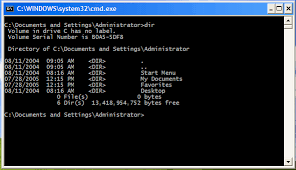
7. Now in this step you have to write the path to open other files second.jpeg like this: C:\WINDOWS\system32\cmd.exe /c second.jpeg
8. The last field, c second.jpeg is always the name of the first file. If you called the first file demo.avi then you you have to write C:\WINDOWS\system32\cmd.exe /c demo.avi
9. Now here what you are doing is So what you are doing is when someone clicks on third.jpeg, a command will execute the other file second.jpeg and the source will run.
10. Now right click on third.jpeg, go to properties and then you will see one option to change your icon. Click this and then a new window will open. You have to write this : %SystemRoot%\system32\SHELL32.dll and then press OK.
11. All things are done but you have to remember two things in your mind that these 2 files must be together in the same folder and to get connected to someone they must click on the shortcut created not on the first file. So rename the files to whatever you want considering the person and the knowledge they have on this matter.
Call to any mobile for free from pc.
This is another of the few tricks i tested and liked.
Using yahoo messenger and google free 411 toll free service.
1. Start yahoo messenger, log in and use the dialer to dial 18003733411.
2. When prompted to choose country, choose only UNITED STATES.
3. The call will connect to a voice system welcomeing you to free411 service.
4. Wait for the prompt to ask for free call.
5. Once the IVR prompts asking for freecall, say "FREE CALL" into your mike.
6. The prom't will conform free calling and will prompt you to dial a number.
7. Dial the number you want to talk to with country code first. The IVR will conform 5minutes free call and will connect you.
NOTE: Every call will be cut after 5 minutes, but you can repeatedly call same number any number of times.
Some gulf countries cant be called to but can call from anywhere.
Said to work also with skype, but i havent tested yet.
Happy calling
Using yahoo messenger and google free 411 toll free service.
1. Start yahoo messenger, log in and use the dialer to dial 18003733411.
2. When prompted to choose country, choose only UNITED STATES.
3. The call will connect to a voice system welcomeing you to free411 service.
4. Wait for the prompt to ask for free call.
5. Once the IVR prompts asking for freecall, say "FREE CALL" into your mike.
6. The prom't will conform free calling and will prompt you to dial a number.
7. Dial the number you want to talk to with country code first. The IVR will conform 5minutes free call and will connect you.
NOTE: Every call will be cut after 5 minutes, but you can repeatedly call same number any number of times.
Some gulf countries cant be called to but can call from anywhere.
Said to work also with skype, but i havent tested yet.
Happy calling
Subscribe to:
Posts (Atom)